Moving from WooCommerce to Shopify is usually a sound commercial decision. Less time on plugin updates, hosting and security patches. More time on products, customers and sales. But the move itself is where stores lose money. I have seen migrations wipe out half a store's organic traffic because nobody planned the redirects, the data or the launch properly.
This guide sets out how I approach a WooCommerce to Shopify migration, step by step, so you know what good looks like before you start.
Should you migrate from WooCommerce to Shopify?
Not every WooCommerce store should move. I would consider it when:
- Plugin conflicts, updates and hosting issues are taking up time that should go on selling
- Checkout performance or reliability is costing you orders
- You depend on one developer to keep the site running
- You want to sell across more channels, such as Google, social and marketplaces, without custom work for each
I would be more cautious when the store relies on heavily customised functionality, unusual product configurators or deep integrations that Shopify cannot replicate without significant development. In those cases, the cost of rebuilding the functionality needs to be weighed honestly against the savings.
I compare the two platforms in more detail in Your Developer Loves WooCommerce. Your Business Shouldn't.
Step 1: Audit what you have
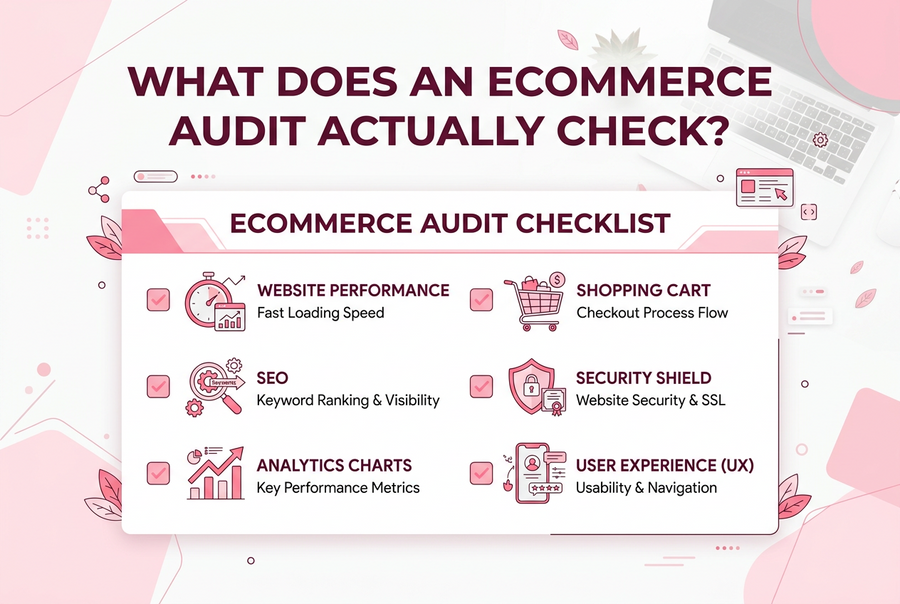
Before anything moves, I list everything the current store does. That means:
- Products, variants, attributes and how they are structured
- Categories, tags and any filtering
- Customers, order history and any subscriptions
- Every plugin, and what job each one actually does
- Integrations with stock, accounting, fulfilment and email systems
- Every URL that currently gets search traffic or has links pointing at it
This audit is where most of the risk is found. A plugin that quietly handles trade pricing or delivery rules is easy to forget until customers start complaining after launch.
Step 2: Map the data
WooCommerce and Shopify structure data differently. WooCommerce attributes often become Shopify options, metafields or tags. Categories usually become collections. Shopify now allows up to 2,048 variants per product, up from 100, so very large variant sets are less of a problem than they used to be, but how options are structured still needs planning.
I map every field before importing anything. Shopify's own Store Importer app can bring across products, customers and orders from a WooCommerce export, and for larger or more complex catalogues I use a dedicated migration tool or a custom script. Whatever the method, the mapping decides the quality of the result.
Step 3: Plan the redirects
This is the step that protects your search traffic.
Shopify uses fixed URL patterns: products sit under /products/, collections under /collections/, pages under /pages/ and blog posts under /blogs/. Your WooCommerce URLs will almost certainly change. Every old URL that has traffic or links needs a 301 redirect to its closest new equivalent.
I build the redirect map from three sources: the full list of old URLs, Google Search Console data showing which pages earn impressions and clicks, and any backlink data available. Redirecting everything to the homepage is not a redirect plan. Google treats that much like a missing page.
In the Tara's Wonderworld migration, that meant thousands of redirects across more than 1,000 products.
Step 4: Rebuild what matters, not everything
A migration is a good moment to drop functionality nobody uses. I review each plugin against the audit and decide whether to replace it with a Shopify app, build it into the theme, or retire it. Fewer apps means a faster store and lower monthly costs.
Step 5: Protect the SEO
Beyond redirects, I check:
- Page titles and meta descriptions carry across or improve
- Collection and product content is not lost or truncated
- Image alt text comes across
- Internal links point at the new URLs, not the old ones
- Structured data for products is in place
- The new sitemap is submitted in Google Search Console on launch day
I explain the SEO work that is most often skipped in Why I Always Build SEO Into a Shopify Migration.
Step 6: Test like a customer
Before launch, I place test orders on mobile and desktop, check payment methods, delivery rates, tax, discount codes, emails and account logins. I then test a sample of redirects and confirm tracking records purchases correctly. If any of these fail on launch day, you lose orders and data at the same time.
Step 7: Launch and monitor
I launch at a quiet trading time, never in the run-up to Black Friday or Christmas. For the following four to six weeks I watch Search Console for crawl errors, missing pages and ranking changes, and fix problems as they appear. Some movement in rankings is normal after a migration. A sustained drop is not, and needs investigating quickly.
How long does a WooCommerce to Shopify migration take?
For a straightforward catalogue, usually three to six weeks. For a larger store with integrations, trade pricing or a redesign at the same time, two to three months is more realistic. The planning stage is where time is best spent.
What does it cost?
As a guide, migrations for small and mid-sized stores commonly cost £3,000 to £15,000. Large catalogues, complex integrations or a redesign at the same time cost more. These are illustrative budgeting ranges, not a quote; I price each migration after the audit, so the figure reflects the actual work. My guide to what a Shopify developer costs in the UK covers the other costs to plan for.
Planning a WooCommerce to Shopify move?
If you are weighing up a migration, see my WooCommerce to Shopify migration service and use the form below to tell me about your store. I will come back to you with an honest view of what the move involves.